
You’ve probably heard about Replit – the online coding platform that lets you write and run code directly in your web browser. No downloads, no complex setups, just open a tab and start coding. For many people, it’s genuinely helpful. Students learning their first programming language, teachers running coding workshops, and developers wanting to quickly test an idea all benefit from this approach.
But after using Replit for real projects, you’ll quickly run into some frustrating problems. Your code might run slowly, your environment might crash at crucial moments, or you might get hit with unexpected charges. Whilst Replit solves some traditional coding problems, it creates entirely new ones. Let’s talk about the real challenges you’ll face with Replit, why they happen, and what you can do about them.
What Makes Replit Special (And Why These Pain Points Matter)
To better understand Replit challenges, let’s first look at what the platform offers developers. Replit is an online integrated development environment (IDE) that supports over 50 programming languages. You can write, run, test, and deploy code directly in your web browser. It offers features like real-time collaboration, instant deployment, AI-powered coding assistance, and educational tools.
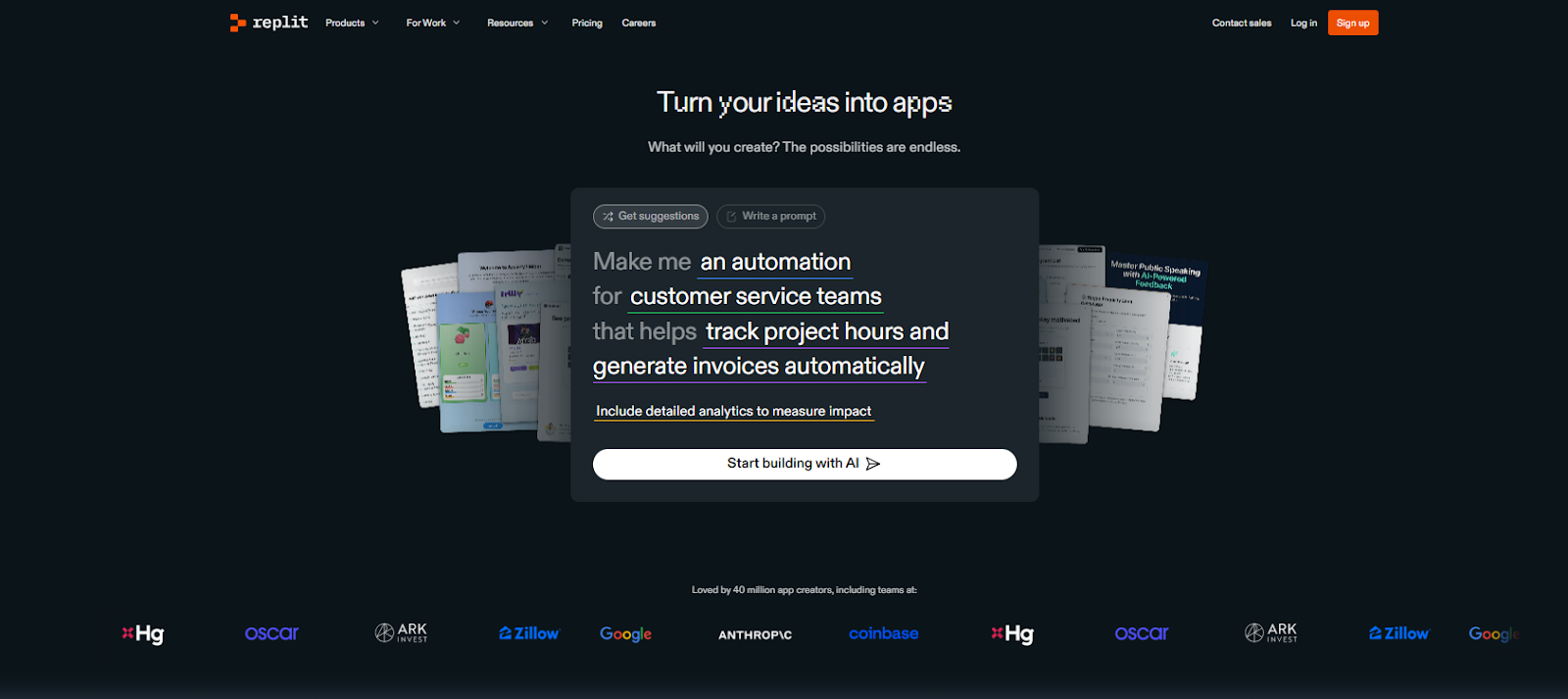
The beauty of Replit lies in its simplicity. No downloads, no complex installations, no worrying about different operating systems. You create an account, choose your programming language, and start coding immediately. It’s particularly popular among students, educators, and developers who want to prototype ideas quickly.
However, this cloud-first approach creates unique challenges that don’t exist with traditional desktop development environments. Understanding these challenges helps you work within Replit’s limitations and know when to consider alternatives.
Real Results: Zinus Tackles Replit Challenges
Before we dive into all the Replit challenges, it’s worth noting that some companies still achieve success with the platform. Zinus, a leading mattress brand, used Replit to build a custom customer service quality assurance tool, saving over $140,000 and cutting development time from 3 months to just 1.5 months.
Their project involved building a sophisticated application that could:
-
- Analyse customer service conversations using AI models
- Generate performance metrics for support agents
- Create custom dashboards and data visualisations
- Process and store large amounts of conversation data
Mason Kim, their Global DevOps Engineer, noted: “By choosing Replit for in-house development instead of an outside agency, we saved over $140,000 and cut our development time in half.”

However, their success came with important caveats. They had experienced developers who could properly evaluate AI-generated code, they used a hybrid architecture with their own secure API for sensitive data, and they spent significant time testing and refining the AI’s output. This wasn’t a case of beginners relying solely on Replit – it was skilled developers strategically navigating Replit challenges.
The Zinus case shows that Replit can work for real business applications, but it requires the right team, realistic expectations, and careful planning around the platform’s limitations
Replit Challenges and Pain Points
1. Performance and Speed Issues
Performance-related concerns are among the most common Replit challenges reported by users.
Common Problems:
-
- Slow loading times: Projects, especially larger ones, can take considerable time to load.
- Frequent crashes: Many users experience crashes, particularly when multitasking with multiple applications open.
- Sluggish interface: The web-based interface can feel slow compared to desktop IDEs.
- Memory limitations: Free-tier users often hit memory limits quickly.
Example:
A student working on a Python web scraping project might find their Replit environment freezing when processing large datasets due to limited computational resources on the free tier.
Solutions:
-
- Upgrade to a paid plan for better performance.
- Optimise your code to use fewer resources.
- Close unused tabs and projects.
- Use the kill 1 command in the shell to restart your environment when it becomes unresponsive.
2. Pricing Complexity and Transparency
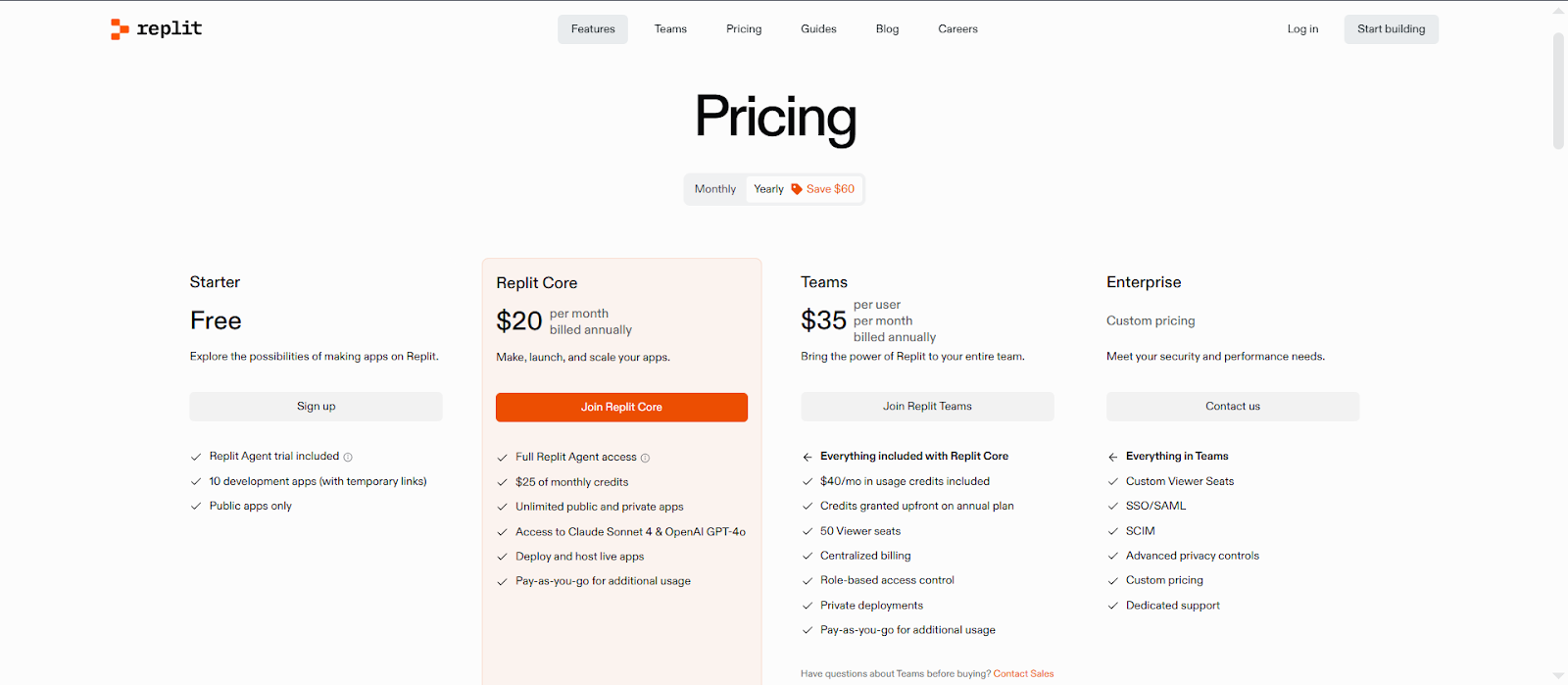
Replit’s pricing model has undergone several changes, creating confusion among users.
Pricing Challenges:
-
- Effort-based billing confusion: Replit introduced effort-based pricing for Replit Agent, where simple changes might cost less than £0.20, whilst larger tasks could cost significantly more
- Unexpected charges: There have been instances where checkpoint charges were incorrectly computed, affecting approximately 6% of paying users
- Plan limitations: Users with hundreds of projects were impacted by new resource limits, with some missing the previous five Always On Repls feature
What This Means for You: Imagine you’re a freelancer using Replit Agent to help build a client’s website. You might expect to pay £5 for assistance, but end up with a £15 bill because the task was more complex than anticipated.
Solutions:
-
- Monitor your usage regularly through the billing dashboard
- Start with the free tier to understand your needs
- Set up billing alerts to avoid surprise charges
- Read the pricing documentation carefully before upgrading
3. Deployment and Environment Issues
Deployment is among the top Replit challenges developers face, especially with larger projects.
Common Deployment Challenges:
-
- Environment setup errors: Users frequently encounter dependency installation issues and need to use ‘kill 1’ to restart hung environments
- Deployment timeouts: Large-scale projects often face deployment timeouts and environment inconsistencies
- Configuration mistakes: Common errors include typos in commands, incorrect flags, or specifying wrong files
Example: A developer trying to deploy a Node.js application might encounter errors because environment variables weren’t properly configured. The application works perfectly in the development environment but fails during deployment.
Solutions:
-
- Double-check your deployment commands and file paths
- Ensure environment variables are properly set in the Secrets pane
- Review deployment logs for specific error messages
- Test your application thoroughly before deploying
4. Collaboration and Sync Problems
While Replit offers real-time collaboration, managing team projects can still present notable Replit challenges.
Collaboration Pain Points:
-
- Sync delays: Changes made by team members don’t appear immediately
- Version conflicts: Multiple developers working on the same file can create conflicts
- Limited collaboration tools: Compared to dedicated collaboration platforms, Replit’s tools feel basic
- Access control issues: Managing who can edit what can be challenging
Example Scenario: Two students working on a group project find that when one person makes changes to a Python function, the other person’s version doesn’t update immediately. This leads to confusion and duplicate work.
Solutions:
-
- Communicate clearly with team members about who’s working on what
- Use version control (Git) for important projects
- Refresh your browser regularly to sync changes
- Consider using external collaboration tools for project management
5. Resource Limitations and Constraints
Replit’s resource limitations can be frustrating, especially for beginners who don’t understand why their projects aren’t working.
Common Resource Issues:
-
- Memory limits: Free accounts have strict memory constraints
- Storage restrictions: Limited space for files and dependencies
- Processing power: CPU limitations for complex computations
- Network restrictions: Some external APIs might be blocked
Example: Think of Replit’s free tier like a shared computer at school. Everyone gets to use it, but there are limits on how much memory and processing power each person can use. If you try to run a very demanding program, it might not work properly.
Solutions:
-
- Optimise your code to use resources efficiently
- Upgrade to a paid plan for higher limits
- Use external services for resource-intensive tasks
- Break large projects into smaller, manageable pieces
6. AI Agent Reliability Issues
Replit’s AI Agent, whilst powerful, comes with its own set of challenges.
AI Agent Problems:
-
- Inconsistent responses: The AI sometimes provides incorrect or incomplete solutions
- Availability issues: The AI Agent high power model occasionally experiences errors and may not be available
- Over-reliance risk: Students might depend too heavily on AI without learning fundamentals
- Cost unpredictability: There have been incidents involving database deletion and unexpected high costs after extensive AI usage
Impact: A beginner might ask the AI Agent to help build a calculator app. The AI provides code that works initially but has bugs that only appear later. The student, not understanding the underlying logic, struggles to fix these issues.
Solutions:
-
- Always review and understand AI-generated code
- Use the AI as a learning tool, not a replacement for learning
- Test AI suggestions thoroughly before implementing them
- Keep backups of your work before major AI-assisted changes
7. Limited Offline Capabilities
Being a cloud-based platform, Replit requires continuous internet access, which may be a challenge in areas with unstable connectivity. This is a reminder of why making the right cloud infrastructure decisions is so important for long-term flexibility.
Offline Limitations:
-
- No offline coding capability: You cannot work on your projects without internet
- Dependence on internet stability: Connections often turn coding into a frustrating experience—but exploring ways to improve development workflow can help mitigate that.
- Inability to work during network outages: Complete loss of access during connectivity issues
- Slower performance on poor connections: Lag and delays make coding inefficient
- Data usage concerns: Continuous synchronisation can consume significant mobile data
Practical Impact: A student travelling on a train with poor internet connection cannot work on their coding assignment, unlike with a desktop IDE where they could code offline and sync later. This is particularly problematic for learners in areas with unreliable internet infrastructure.
Solutions:
-
- Use mobile hotspot as backup internet
- Download important code snippets for offline reference
- Consider hybrid approaches using local IDEs for offline work
- Plan your coding sessions around reliable internet availability
- Use Replit’s mobile app which has some improved offline handling
8. Security and Privacy Concerns
When your code lives in the cloud, safeguarding it is essential. Many developers overlook this, but strong cloud support practices can make all the difference.
Security Pain Points:
-
- Code exposure risks: Projects can accidentally be made public, exposing sensitive code and API keys
- Data privacy concerns: Sending code to third-party LLMs raises privacy concerns for many developers
- Limited control over data: Your code resides on Replit’s servers, not your own systems
- Shared environment vulnerabilities: Security misconfigurations can allow unauthorised access to sensitive user data
- Secret management challenges: While Replit provides environment variables, managing secrets properly requires understanding
Example: A freelance developer working on a client’s e-commerce project accidentally leaves their database credentials visible in a public repository. This could lead to serious security breaches and legal complications.
Solutions:
-
- Always use Replit’s Secrets feature for sensitive information
- Regularly audit your project visibility settings
- Understand what data might be processed by AI features
- Follow security best practices regardless of the platform
- Consider using Replit’s security scanning features
9. Mobile Development Limitations
Whilst Replit offers a mobile app, mobile app development on the platform comes with significant constraints.
Mobile Development Challenges:
-
- Interface limitations: Coding is inherently difficult on mobile phones, with challenges like typing variable names on mobile keyboards
- Feature restrictions: Not all Replit features are available on mobile
- Screen real estate: Limited space for code, output, and debugging tools
- Input challenges: Even with improvements, mobile coding requires understanding complex concepts that would normally need proper development tools
- Performance constraints: Mobile devices have limited processing power for complex development tasks
Practical Impact: A developer trying to debug a Python script on their phone might find it nearly impossible to effectively navigate between different files, view error messages, and make precise code edits all on a small screen.
Solutions:
-
- Use mobile primarily for quick edits and reviews
- Leverage Replit’s AI features for code generation on mobile
- Focus on planning and learning rather than heavy development on mobile
- Consider using a tablet for better mobile development experience
- Use voice-to-text for longer code comments and documentation
How Professional Development Services Can Help
When these Replit challenges begin to impact your projects, professional development services can provide the expertise needed to keep work on track. Development services like Emvigo understand these platform constraints and can provide:
-
- Custom development solutions that work around platform limitations
- Migration assistance when you outgrow cloud development platforms
- Code optimisation to work within resource constraints
- Training on best practices for different development environments
Sometimes the best solution isn’t fighting with platform limitations – it’s getting professional guidance on the right tools for your specific needs.
Practices to Minimise Replit Challenges
1. Start Small and Scale Gradually
Begin with simple projects to understand Replit’s capabilities and limitations before tackling complex applications.
2. Monitor Your Usage
Keep track of your resource consumption and costs to avoid unexpected issues or charges.
3. Have Backup Plans
Keep copies of important code outside Replit, using platforms like GitHub, to prevent data loss.
4. Stay Updated
Follow Replit’s blog and status page to stay informed about platform changes and known issues.
5. Use Community Resources
Join Replit’s community forums to learn from other developers’ experiences, tips, and solutions.
When to Consider Alternatives
Replit is a versatile platform, but it’s not suitable for every project. Certain Replit challenges can make other solutions a better choice, especially when your project demands go beyond what the platform is designed to handle. Consider alternatives in the following situations:
-
- High computational requirements
Replit provides enough resources for small to medium projects, prototypes, and educational purposes. However, if your application requires heavy computation—such as data-intensive processing, AI/ML model training, or large-scale simulations—Replit may struggle. In such cases, dedicated cloud environments or enterprise-grade infrastructure are more reliable. - Need for specific software or configurations
Replit offers a pre-configured coding environment that supports many common languages and frameworks. But projects that depend on specialised software, custom libraries, or unusual configurations may not run properly on Replit. This limitation can slow development or force workarounds. - Guaranteed uptime for production applications
Replit is excellent for prototyping and experimentation, but it doesn’t offer the same uptime guarantees as dedicated cloud providers or enterprise hosting solutions. If your application must remain live and reliable at all times—such as e-commerce platforms or mission-critical business apps—Replit may not meet those expectations. - Cost considerations for larger projects
For long-term or resource-heavy projects, Replit’s usage-based pricing can become expensive. While it’s cost-effective for learning or small apps, scaling up may lead to higher costs compared to cloud providers or self-managed infrastructure. - Advanced collaboration and team workflows
Replit supports basic collaboration, but complex team workflows—like role-based access, version control for large teams, or project management integrations—may be limited. Larger development teams often require more sophisticated collaboration tools to maintain productivity and ensure proper project governance.
- High computational requirements
Recognizing these Replit challenges helps you make informed decisions about your development workflow. By understanding the platform’s limitations, you can choose when to leverage Replit’s simplicity and speed—and when to move to a more robust solution that matches your project’s scale, complexity, and business needs.
Understanding the Learning Curve
Replit might look simple, but it has its own way of doing things that can trip up newcomers. Even experienced developers need time to adjust to cloud-based development patterns.
What Catches People Off Guard:
-
- Cloud-specific concepts: You’ll need to learn about environment variables, deployment settings, and how cloud storage works
- Resource management: Unlike your local computer, you’re sharing resources with other users, which means understanding limits and constraints
- Collaboration basics: Working with others in a shared environment requires different etiquette and practices
- Platform quirks: Every tool has its own interface and features that take time to master
- Different troubleshooting: Problems in the cloud often need different solutions than local development issues
Don’t expect to master Replit overnight. Start with simple projects and gradually work your way up to more complex applications. Most importantly, don’t assume something is broken just because it works differently than local development.
The Future of Replit: What’s Getting Better
Replit is rapidly evolving from a developer-focused IDE to a comprehensive AI-driven software creation platform. The company continues to enhance its capabilities, addressing many of the challenges discussed in this guide.
Recent Developments and Enhancements
-
- Agent 3 Launch: Replit introduced Agent 3, an autonomous AI tool designed to test, fix code, and build custom workflows, marking a significant advancement in its AI capabilities.
- Enhanced App Creation Experience: The platform now offers a redesigned app creation process, allowing users to visualise and plan their applications before building, facilitating better design and iteration.
- Checkpoint Previews: Replit has implemented checkpoint previews, enabling developers to visualise their app at different stages without rebuilding or restoring previous versions, aiding in progress tracking and iteration comparison.
- Improved Security Scanning: The security scanner has been updated to cache results and only re-run when code changes, making subsequent scans faster and more efficient.
Strategic Growth and Funding
In September 2025, Replit secured $250 million in funding, bringing its valuation to $3 billion—a nearly threefold increase since its last raise in 2023. This funding round was led by Prysm Capital and included strategic investments from Amex Ventures and Google’s AI Futures Fund, among others.
The company reported a remarkable growth in annualised revenue, jumping from $2.8 million to $150 million in less than a year, driven by a global community of over 40 million users.
Looking Ahead
Replit’s focus on “vibe coding“—enabling users to build applications using natural language prompts—is reshaping the software development landscape. The platform’s continuous enhancements and strategic investments position it as a leader in the AI-powered development space, catering to both technical and non-technical users.
While Replit’s advancements are promising, it’s essential to remain cautious. Earlier this year, an incident occurred where Replit’s AI agent deleted a live production database, highlighting the need for ongoing improvements in AI reliability and safety.
In summary, Replit’s evolution into an AI-driven software creation platform is indeed the future, offering enhanced capabilities and opportunities for developers and non-developers alike.
Frequently Asked Questions (FAQs)
Why is my Replit project running slowly?
Slow performance is often due to resource limits, inefficient code, or too many background processes. Try optimising your code, closing unused tabs, or upgrading your plan.
How can I avoid unexpected charges on Replit?
Monitor usage via the billing dashboard, set billing alerts, and understand effort-based pricing. Start conservatively to gauge typical costs.
What should I do when my Replit environment stops responding?
Refresh your browser first. If that fails, use the kill 1 command in the shell and check Replit’s status page for ongoing issues.
Is Replit secure for my code and data?
Replit protects your code and data, but avoid sending sensitive information to third-party AI. Use secret management and understand data processing by AI features.
Can I use Replit for commercial projects?
Yes, but consider resource limits, potential downtime, and whether Replit meets your production needs, as many commercial projects outgrow it.
How do I backup my Replit projects?
Download projects as ZIP files or connect to GitHub for version control. Regular backups prevent data loss.
Is Replit suitable for team collaboration?
Replit supports basic collaboration, but larger teams may need additional tools for version control, communication, and project management.
Why does my deployed application keep failing?
Deployment failures often result from misconfigured environment variables, missing dependencies, or resource limitations. Check logs for specific errors.
Can I use Replit effectively on mobile devices?
Replit’s mobile app is useful for quick edits or reviews, but full development is difficult due to typing and interface limitations.
How do educational institutions handle Replit’s limitations?
Schools should account for bandwidth, cost scaling, and have backup plans. Replit works for small projects but can struggle with larger classes or complex tasks.
Conclusion
Replit remains an excellent platform for learning to code and building simple applications. However, being aware of Replit challenges helps set realistic expectations and plan your projects effectively. The key to success lies in knowing when to use Replit, how to work within its constraints, and when to consider alternatives.
Whether you’re a beginner learning to code or an experienced developer prototyping ideas, being aware of these common pain points and their solutions will help you make the most of what Replit offers. Remember, every platform has trade-offs – the trick is finding the one that best matches your specific needs and requirements.
For complex projects or when navigating Replit challenges becomes overwhelming, professional guidance can make all the difference. Emvigo offers expert development services, helping you leverage cloud-based platforms effectively while working around their limitations to deliver efficient, scalable solutions.