Think about the last thing you uploaded: a café photo with friends, a check-in at the holiday airport, a professional milestone on LinkedIn.
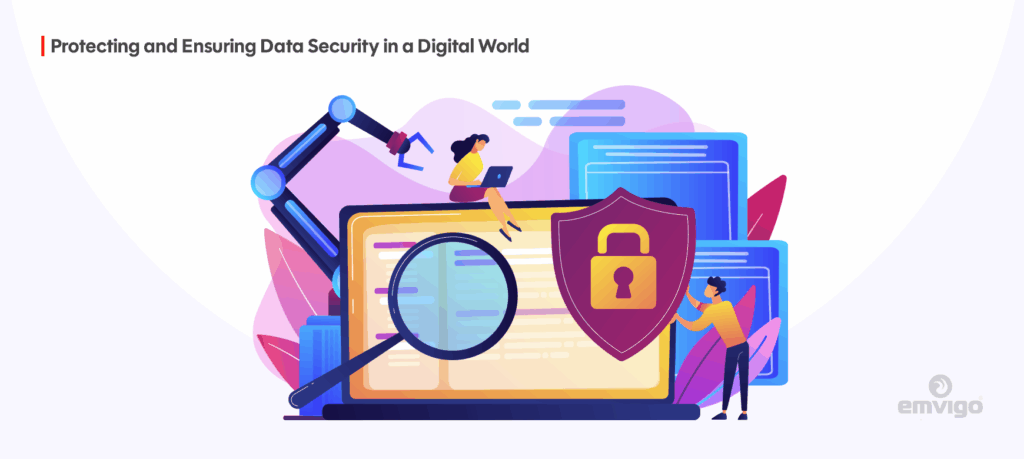
Every share, click and login leaves a digital footprint—and that footprint matters. In today’s world, online data security isn’t just a concern for tech specialists or large corporations. It’s a life-skill for everyone.
Whether you’re posting on social media, logging into an online banking service, or running a small enterprise, the way you manage your data online has consequences for your personal safety, your privacy—and for business, your reputation and survival.
In this guide we’ll walk you through practical, no-nonsense steps on how to protect your data online. We’ll start with how you can lock down social media, then show you how to build stronger habits and why this matters to businesses you trust.
Why Online Data Security Matters
In today’s connected world, nearly everything we do — shopping, banking, socialising, or running a business — involves sharing data online. Yet, many people underestimate just how vulnerable that information can be. Whether you’re an individual user or a growing business, online data security is no longer optional; it’s essential for protecting your money, your reputation, and your peace of mind.
For Individuals
Every click, login, and purchase leaves a trace of personal information. Cybercriminals know this — and they’re constantly finding new ways to exploit it. The scale is staggering: millions of people worldwide fall victim to data theft each year, and the impact extends far beyond financial loss.
1. Financial Losses and Identity Theft
Fraudsters often use stolen personal information to open credit accounts, drain savings, or make unauthorised transactions. Once your financial identity is compromised, the recovery process can take months and cost hundreds of pounds.
In 2024, the UK recorded over 421,000 fraud reports filed by Cifas, of which about 59 % related to identity fraud.
2. Privacy Violations
When personal data — such as your home address, national insurance number, or private messages — is leaked, it can be sold on the dark web or used for phishing campaigns. Social media profiles are particularly valuable, as they reveal habits, relationships, and interests that can be exploited for scams or manipulation.
3. Emotional and Reputational Damage
Data theft isn’t just a financial problem; it’s a personal one. Victims often face emotional distress, embarrassment, or even public exposure if private content is leaked. Restoring accounts, proving identity, and cleaning up after a breach can take countless hours.
Many of these risks can be minimised with simple precautions: enabling Two-Factor Authentication (2FA), updating passwords regularly, and being mindful of what’s shared online. Yet, privacyengine.io reports that only 40% of UK businesses have adopted 2FA — a worrying sign that many remain exposed to preventable risks.
For Businesses
If the risks are serious for individuals, they’re even more critical for organisations. Data drives everything — from operations and sales to customer experience — so any breach can cause enormous disruption.
1. Financial and Operational Losses
A single cyber-attack can cost a company millions. The Information Commissioner’s Office (ICO) has recorded a consistent rise in personal data security incidents across the UK in recent years, reflecting the growing frequency and sophistication of attacks.
The UK Government’s “Cyber Security Breaches Survey 2025” revealed that UK businesses suffered approximately 8.58 million cyber-crimes in the last 12 months, including phishing, malware, and unauthorised access. That’s not just an IT problem — it’s a business continuity issue.
Globally, the numbers are even higher. IBM’s 2025 “Cost of a Data Breach Report” estimates the average cost of a data breach at USD 4.4 million, with healthcare and finance sectors being hit hardest.
2. Trust and Reputation
Customers expect their information to be handled with care. Once that trust is broken, it’s incredibly difficult to rebuild. Many businesses never fully recover from the reputational fallout of a breach. Losing customer confidence can have longer-term effects than the immediate financial loss — reduced sales, negative reviews, and loss of partnerships.
As discussed in How to Secure Your Business Against Rising Cyber Threats, prevention isn’t just about avoiding attacks; it’s about protecting brand integrity and maintaining customer loyalty.
3. Legal and Compliance Liabilities
Under the UK General Data Protection Regulation (UK-GDPR), organisations must protect personal data and report breaches promptly. Non-compliance can lead to hefty fines and mandatory investigations. For example, British Airways and Marriott International have both faced multimillion-pound penalties for data breaches that affected customer records.
For companies using cloud infrastructure, regular AWS Well-Architected Framework Reviews (WAFR) can help detect potential weaknesses early and ensure compliance with best practices for data protection, resilience, and security.
4. Competitive and Strategic Risk
Your organisation’s data — including intellectual property, trade secrets, and customer insights — is among its most valuable assets. If compromised, you risk losing your competitive edge. Competitors, hackers, or even former employees could exploit that data for financial gain or corporate sabotage.
Protecting this information isn’t just about installing firewalls or antivirus software; it requires a proactive, layered defence strategy supported by staff training, strong authentication policies, and continuous monitoring.
These numbers aren’t abstract figures — they represent people, companies, and livelihoods disrupted by cyberattacks. In most cases, these incidents could have been prevented with better cybersecurity awareness, stronger access controls, and timely system reviews.
If your business relies on digital systems, now is the time to take online data security seriously. A simple step such as scheduling an AWS Well-Architected Framework Review or conducting an internal cybersecurity audit can make all the difference. At Emvigo, we help businesses strengthen their digital defences through secure software development, cloud security audits, and ongoing compliance support.
How Can You Protect Your Data on Social Media?
Since most of us spend significant time on social platforms, securing your presence there is a critical part of social media security. The good news: you have three major levers to pull right away.
1. Take Control of Your Privacy Settings
Each social platform allows you to control who sees your posts, your profile info and your connections. But: many people set them once and forget. Platforms update their policies, change defaults and add new features—all of which may erode your privacy over time.
What to do:
-
- Go into your account’s privacy settings and audit who can see your timeline/posts, who can find you via email/phone, and what data apps (connected to the platform) can access.
- Every few months revisit settings—especially after big updates or when you notice a new feature rolled out.
- Consider limiting metadata such as your location, date of birth or other sensitive personal info from being public.
2. Use Strong, Unique Passwords + Enable Two-Factor Authentication (2FA)
Weak passwords remain one of the most common causes of data compromise. Far too many people reuse the same simple password across multiple platforms—and once it’s captured, attackers will test it everywhere.
What to do:
-
- Use a password manager tool (for example Bitwarden, LastPass, 1Password) to generate long, complex and unique passwords for each account.
- Enable two-factor authentication (2FA) wherever it’s offered. 2FA adds an extra verification step (e.g., a code via SMS or an app) which means even if your password is stolen, your account remains safer.
- As noted in UK statistics, only around 40 % of businesses are using 2FA—so there’s a large gap to close.
3. Think Before You Share
Every piece of information you share—publicly or semi-publicly—can be harvested by cyber-criminals. When combined (birthdate + pet’s name + graduation year + social posts), it builds a profile they can exploit.
What to ask yourself before posting:
-
- Could this be used to guess my security answers? (e.g., pet’s name, first school)
- Does this reveal my location or routine in a way that could be exploited?
- Does this belong in the public domain—or would I regret seeing it exposed years later?
4. Spot Phishing Scams and Fake Messages
Your social accounts might also become a gateway for scams, either via direct messages or by the content you share. Attackers exploit trust (your account appears legitimate) to spread malicious links or request sensitive information.
Red flags to watch:
-
- Messages claiming “Urgent action required! Your account will be closed!”
- Poor spelling/grammar, suspicious sender names or links that don’t match the claimed sender
- Unexpected attachments or prompts for passwords or codes.
5. Monitor Your Accounts Regularly
It’s not a “set and forget” situation. Every now and then check your login history, connected devices/apps and account settings.
Action checklist:
-
- Review ‘recent login devices’ and remove unfamiliar ones.
- Check third-party apps authorised to access your account—and remove any you don’t recognise.
- If you spot something odd (a post you didn’t make, a message you didn’t send), change your password immediately and enable or re-enable 2FA.
Raising Your Own Cybersecurity Awareness
Securing your social presence is one thing. But the broader mindset of cybersecurity awareness is what separates those who suffer from those who stay safe. You are your own first line of defence.
Stay Informed About The Latest Threats
Technology and threat-techniques evolve rapidly. Make it a habit to follow one or two reputable sources (for example NCSC, the ICO blog or trusted cybersecurity newsletters) so you recognise propaganda, scams and new attack vectors.
Verify Before You Click
One click. That’s all an attacker often needs. If you receive an unexpected email, message, link or attachment—especially one asking for credentials, verification codes or personal info—stop. Take a moment to verify via a different channel (call the known number of the sender organisation, open the website directly in your browser rather than via the link).
Recognise Social Engineering Tactics
Cyber-criminals are masters of manipulation. They’ll pose as trusted entities—your bank, IT department, your boss or even a friend. They’ll create urgency, exploit fear or curiosity to trick you into revealing confidential information.
Common tactics include:
-
- “You’re locked out! Click here now!”
- “We detected unusual activity—please verify your details.”
- “A friend sent you a link—open at your own risk.”
Use Secure Connections
Avoid logging into banking or sensitive accounts on public Wi-Fi without protection. Public networks are often un-secured, meaning a hacker on the same network can intercept your activity. If you must use public Wi-Fi, use a trusted VPN (Virtual Private Network) to encrypt your connection.
How Businesses Can Ensure Data Security and Compliance
If you run a business—or are responsible for managing data—online data security is no longer optional; it’s essential. Protecting customer, employee, and operational data isn’t just a matter of good practice; it is increasingly legally required, with regulations like UK-GDPR imposing strict duties on organisations that handle personal information. Failing to comply can result in heavy fines, reputational damage, and loss of customer trust.
Here’s how businesses can take practical steps to secure data, ensure compliance, and reduce the risk of cyber-attacks.
1. Conduct Regular Security Audits
You cannot protect what you do not understand. Regular security audits are the cornerstone of a proactive data security strategy. Schedule quarterly or annual assessments to answer critical questions such as:
-
- Is all software and infrastructure up to date?
- Are user access permissions appropriately restricted?
- What’s our disaster recovery and backup readiness?
- Do external vendors and third-party services meet our security standards?
Audits help identify hidden vulnerabilities, whether in internal systems or in external dependencies, enabling you to fix issues before they are exploited.
2. Implement Smart Access Controls
Not everyone in your organisation should have access to all data. Apply the principle of least privilege, giving employees only the permissions necessary to complete their roles. This limits the potential damage caused by both accidental misuse and malicious activity.
Critical systems should always be protected with strong authentication methods, including Two-Factor Authentication (2FA). Data from PrivacyEngine shows that only 40% of UK businesses have implemented 2FA, highlighting a widespread gap in basic security measures.
3. Stay Current with Updates and Patches
Outdated software is one of the most common vulnerabilities exploited by cybercriminals. Many attacks are automated, targeting known software weaknesses.
Businesses should implement strict patch management processes, including:
-
- Enabling automatic updates where possible
- Scheduling regular reviews of software versions and vulnerabilities
- Ensuring legacy systems are either upgraded or securely decommissioned
Keeping systems up to date is one of the simplest yet most effective data breach prevention measures.
4. Train Your Team Regularly
Technology alone cannot prevent breaches. Many incidents arise from human error, including falling for phishing emails, mishandling sensitive data, or using weak passwords.
Employee training should cover:
-
- How to recognise phishing emails and social engineering attempts
- Best practices for passwords and authentication
- Company-specific security policies, including device usage and reporting incidents
- Steps to take if they suspect a breach
A culture of cybersecurity awareness within your team is one of the most effective ways to prevent costly breaches.
5. Use the AWS Well-Architected Framework Review (WAFR)
If your business relies on cloud infrastructure—particularly AWS—conducting a Well-Architected Framework Review (WAFR) can be a game-changer. The WAFR evaluates your workloads against industry best practices across six pillars, including security, operational excellence, reliability, performance efficiency, cost optimisation, and sustainability.
Through a WAFR, your organisation can:
-
- Identify gaps in cloud architecture that could expose sensitive data
- Strengthen access control policies and authentication measures
- Implement systems to detect threats and respond to incidents quickly
- Align cloud infrastructure with regulatory standards
Regular WAFRs turn security from a reactive task into proactive resilience, reducing the likelihood of costly data breaches while ensuring compliance.
6. Additional Measures for Data Security
Beyond the basics, businesses should consider:
-
- Encryption of sensitive data both in transit and at rest
- Multi-layered firewalls and intrusion detection systems
- Regular penetration testing to identify weaknesses before attackers do
- Incident response plans to act quickly if a breach occurs
Implementing these measures alongside audits, training, and WAFR reviews ensures a holistic security approach that protects both your business and your clients.
Common Online Security Vulnerabilities
Understanding the most common vulnerabilities in online security is the first step to protecting yourself and your business. Cybercriminals are constantly developing new methods to exploit weaknesses, but many attacks rely on simple, preventable gaps. By recognising these vulnerabilities, you can take practical steps to reduce your risk.
1. Weak or Reused Passwords
Passwords remain one of the most common points of failure in online security. Using simple or easily guessable passwords, like “123456” or a pet’s name, makes it straightforward for attackers to gain unauthorised access.
Why it matters: Once a password is stolen from one account, hackers often attempt to reuse it across other platforms. This is called credential stuffing, and it can quickly compromise multiple accounts.
Prevention:
-
- Use unique, complex passwords for every account
- Enable Two-Factor Authentication (2FA) wherever possible
- Consider a reputable password manager to generate and securely store complex passwords
2. Unpatched or Outdated Software
Outdated software is a significant security weakness. Cybercriminals actively target software vulnerabilities that developers have already patched in newer versions.
Why it matters: Attackers can exploit these known flaws to inject malware, steal data, or gain unauthorised access. Systems that are not regularly updated provide easy entry points.
Prevention:
-
- Enable automatic updates wherever possible
- Maintain a patch management schedule
- Decommission unsupported or legacy systems that no longer receive security updates
3. Phishing and Social Engineering Attacks
Phishing emails, fake websites, and social engineering tactics are among the most effective ways for criminals to steal information. Attackers often pose as trusted figures such as banks, colleagues, or service providers to trick users into revealing credentials or sensitive data.
Red flags to watch for:
-
- Urgent requests like “Act now or lose access!”
- Poor grammar or unusual email addresses
- Unexpected attachments or links
Prevention:
-
- Promote cybersecurity awareness training for employees
- Verify the sender before clicking links
- Use email filters and anti-phishing software
4. Unsecured Wi-Fi Networks
Public Wi-Fi is convenient but often unprotected. Using an unsecured network allows attackers to intercept your traffic, capture login credentials, and even inject malware into your device.
Prevention:
-
- Avoid conducting sensitive transactions on public Wi-Fi
- Use a VPN to encrypt connections when remote working or on public networks
- Ensure home and office networks have strong passwords and WPA3 encryption
5. Oversharing on Social Media
Sharing too much personal information online can make individuals and businesses easy targets. Details such as birthdates, addresses, travel plans, or workplace information can be exploited for identity theft, phishing, and social engineering attacks.
Prevention:
-
- Regularly review privacy settings on social media platforms
- Limit the sharing of personal or sensitive information
- Train employees on safe social media practices for company accounts (social media security)
6. Human Error and Lack of Awareness
Human error is a surprisingly common cause of security breaches. Employees may click on malicious links, misconfigure cloud storage, or accidentally send sensitive information to the wrong recipients.
Prevention:
-
- Conduct regular cybersecurity awareness training
- Encourage employees to report suspicious activity immediately
- Implement clear internal policies on data handling and access control
Role of AI in Modern Cybersecurity
Think about how quickly things happen online. Emails fly in every second, data moves between servers in milliseconds, and cyber-criminals are constantly looking for a weak spot to exploit. No human team can watch every log, every alert, and every transaction in real time — and that’s where artificial intelligence quietly steps in.
AI in cybersecurity isn’t about robots taking over security teams. It’s about giving those teams sharper eyes and quicker reflexes. Modern tools use machine learning to spot patterns that might otherwise go unnoticed — for example, a sudden login from another country, or data being downloaded at 2 a.m. when the office is closed. These small warning signs often come before a major data breach.
By catching such red flags early, AI helps prevent data breaches and reduce the response time dramatically.
AI also makes Two-Factor Authentication (2FA) smarter. Instead of applying the same rules to every user, systems can adapt based on behaviour — tightening checks when something seems off, and keeping things smooth when activity looks normal. It’s a small change, but one that makes social media security and day-to-day logins much safer.
For cloud-based businesses, AI goes hand in hand with the AWS Well-Architected Framework Review. It helps flag risks in workloads, detect misconfigurations, and strengthen overall compliance. Instead of reacting to problems after they happen, teams can use data-driven insights to prevent them altogether.
The truth is, AI isn’t replacing cybersecurity professionals — it’s helping them keep up. With cyber-attacks becoming more sophisticated, AI gives businesses the speed and foresight they need to stay ahead.
Future of Online Data Security
As we look ahead, online data security is evolving quickly—what used to protect us may not be enough in just a few years. Whether you’re managing personal data, running a business, or both, understanding what’s coming can help you stay one step ahead instead of always catching up.
• Encryption and “Harvest Now, Decrypt Later”
One of the biggest shifts on the horizon is around encryption. The National Cyber Security Centre (NCSC) in the UK has warned that the arrival of powerful quantum computers could break today’s standard encryption methods by the mid‑2030s. That means data encrypted today might be safe now—but could be vulnerable in future. Organisations are already looking at post‑quantum cryptography and “data at rest” protections to avoid so‑called “harvest now, decrypt later” attacks.
• Zero Trust and Identity Hardening
The idea of “trusting everything inside the network” is increasingly irrelevant. Researchers point to the rise of Zero Trust Architecture—where every user, device and application must be verified. We’ll see more focus on machine identities (devices, APIs, services), not just human ones. That means ensuring those machine‑identities are managed properly and don’t open hidden doors.
• Cloud, Edge & Hybrid Complexity
With more data moving to the cloud, edge devices and hybrid environments, the attack surface grows. According to Gartner, more than 85% of organisations are expected to adopt a “cloud‑first” principle by 2025. For businesses this means you’ll need to think not just about your own servers but about data travelling across multiple platforms, with varying protections.
• Smarter Threat Detection & Automation
Automation, analytics and machine learning are becoming more standard in security operations. Tools will pick up anomalies faster, coordinate responses, and reduce reliance on humans catching everything manually. Augmented data‑management platforms will help spot issues before they turn into breaches. For you, that means investing in systems that don’t just react—but anticipate.
• Consumer Expectation, Regulation and Privacy
People are becoming more aware of their data rights. They expect more transparency and control over their personal information. Businesses will face tighter regulation, wider liability, and greater scrutiny. If you’re responsible for managing data (personally or in business), aligning with “privacy by design” will no longer be optional.
• Human Factor and Organisational Culture
Technology will only get you so far. The future shows that human error, oversight and organisational culture remain big risks. Training, awareness, clear policies and consistent review will matter even more. As one source puts it: despite all the new tools, human‑factor risks remain central.
FAQs About Online Data Security
What is the single most important thing I can do to protect my online accounts?
Enable two-factor authentication (2FA) wherever possible. Even if someone steals your password, 2FA by itself can protect your account significantly.
Is using public Wi-Fi really that risky?
Absolutely. Public Wi-Fi networks are often unencrypted, and hackers on the same network can “eavesdrop” on your activity—stealing credentials, seeing your private messages. Use a VPN if you must connect.
What should I do if I think my data has been compromised?
Act quickly: change your password, enable 2FA, review account activity for unauthorised actions. For business accounts, notify your IT/security team immediately and begin incident-response procedures.
How can I tell if a website is secure?
Look for “https://” in the address bar and the padlock icon—but be aware: encryption alone doesn’t guarantee trustworthiness. A phishing site can still use SSL. Check the domain, and when in doubt, verify through official channels.
What is online data security and why is it important?
Online data security is the protection of personal and business information from unauthorised access or misuse. It’s vital because data breaches can cause financial loss, reputational harm, and legal trouble.
How can individuals protect their online data?
Use strong passwords, enable Two-Factor Authentication (2FA), avoid clicking suspicious links, and keep devices updated with the latest security patches.
What are the most common online data security threats today?
Phishing emails, ransomware, weak passwords, and social engineering scams are among the biggest threats affecting both individuals and businesses.
How does Two-Factor Authentication (2FA) improve online data security?
2FA adds an extra layer of protection by requiring a second verification step — like a code on your phone — even if your password is compromised.
What should businesses do after a data breach?
Immediately contain the breach, reset credentials, notify affected parties, and report the incident to regulators such as the Information Commissioner’s Office (ICO) if required under UK law.
How can companies prevent data breaches in the first place?
Conduct regular security audits, implement access controls, train staff on cybersecurity awareness, and follow best practices like the AWS Well-Architected Framework Review for cloud security.
Is storing data in the cloud safe?
Yes, provided strong encryption, regular backups, and strict access controls are in place. Always choose reputable providers and review their compliance policies.
What role does employee training play in online data security?
Human error causes many breaches. Regular training helps staff recognise phishing attempts, use secure passwords, and understand company security policies.
How often should businesses review their online data security measures?
At least once every six months, or immediately after major updates or system changes, to identify and fix new vulnerabilities.
Can small businesses afford strong online data security measures?
Yes. Many affordable tools — such as managed cloud services and automated backup systems — offer enterprise-grade protection without heavy costs.
Summary: Because It’s Personal, and It’s Business
Online data security is no longer a specialist topic—it’s everyone’s issue. From your personal social media accounts to the infrastructure that runs your business applications, the way you handle credentials, access, sharing and incident preparedness will determine whether you’re part of the statistic or part of the solution.
By taking consistent steps—locking down profiles, using 2FA, raising cybersecurity awareness, and aligning your business architecture to frameworks such as the AWS Well-Architected Framework—you significantly reduce your risk of a breach, of reputational damage and of costly response efforts.
The digital world offers huge opportunity—but only if you navigate it safely. Make security part of your daily habit. Start today.
Our team specialises in comprehensive security assessments that go beyond basic checklists. We are a certified AWS partner company, and you can get a Well-Architected Framework Review absolutely free with us. Sign up for the free audit with us. Because every security measure you implement today could prevent a major headache—or worse—tomorrow.